Winning customers
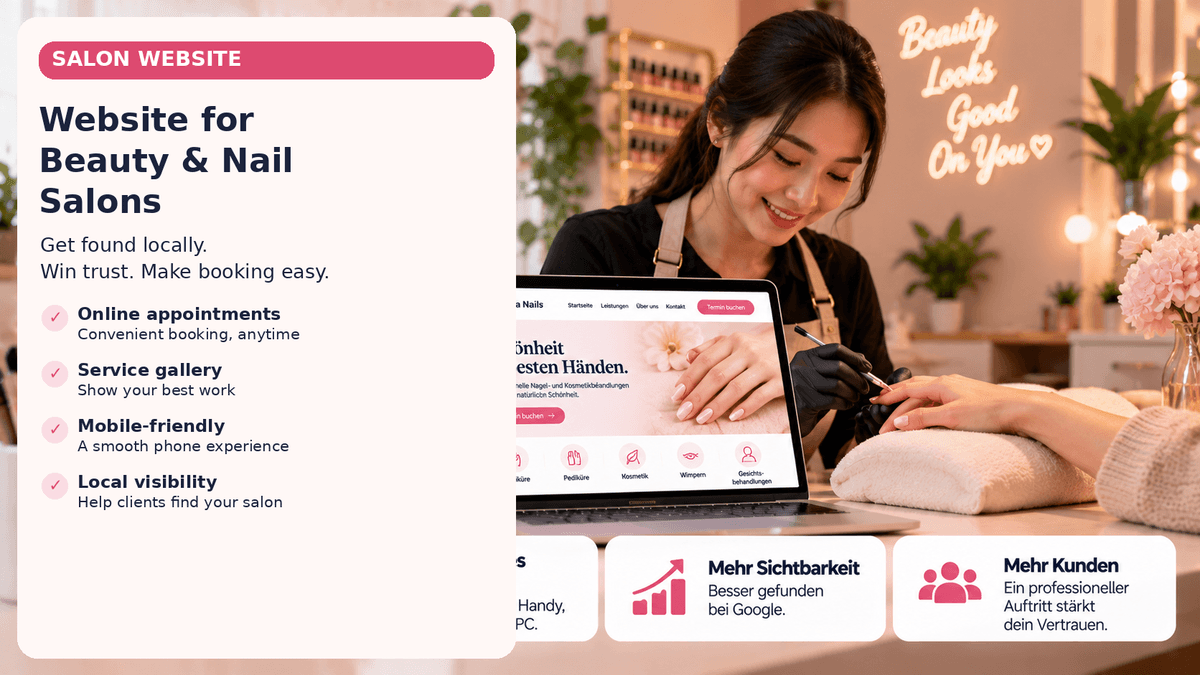
Website for a Beauty or Nail Salon: The Features That Matter Most
What content and features does a beauty or nail salon website need? A practical guide to services, prices, booking, trust and local visibility.
by Nguyen VoPublished on 4 min read
Key takeaways
- Visitors want to know within seconds: which treatment, what does it cost, where is the salon and how do I book?
- Real photos, clear prices and a visible booking path convince more than many extra features.
- A well-kept website and a complete Google Business Profile complement each other; neither replaces the other.
Contents
A professional website for a beauty or nail salon does not need to be complicated. It should quickly tell potential clients what treatments are available, what they cost, where the salon is located, and how to book.
For a local service business, adding more features is not automatically better. The priority is to answer common questions and make the next step easy.
1. Describe services clearly
Group treatments into easy-to-understand categories, such as facials, manicures, pedicures, nail design, or head spa. For each service, briefly explain what is included, who it is for, and approximately how long it takes.
Avoid vague names and dense blocks of text. Visitors should be able to understand the offer without having to contact you first.
2. Make prices and treatment times transparent
Where possible, show the price and approximate duration of each treatment. If the price depends on the individual service or materials, explain what affects the final cost.
Clear information helps clients choose an appropriate service. It does not replace personal advice where that is needed.
3. Make booking easy to find
A visible button such as “Book an appointment” should work well on mobile devices. Depending on the salon, clients may book through your own booking system, a third-party platform, or by calling or messaging you.
Test the booking journey on a phone and remove unnecessary steps. If booking continues on an external platform, make that clear.
4. Build trust with genuine information
Useful elements include:
- authentic photos of the salon and its work, with permission from anyone pictured;
- address, opening hours, and directions;
- a short introduction to the team or owner;
- clear preparation, aftercare, or suitability information;
- genuine customer reviews, used accurately and in accordance with applicable rules.
Stock photography can support the design, but it should not mislead visitors into thinking it shows your actual salon or work.
5. Prioritize mobile usability and readability
People often search for local salons on their phones. Text should be readable, buttons easy to tap, and essential information available without excessive scrolling or searching.
Check whether the site loads reasonably on slower connections, phone numbers and addresses are actionable, price lists work on small screens, and the booking option is easy to locate.
6. Help local customers find you
Clearly state the salon’s real location and services. Use natural wording such as “beauty salon in [neighbourhood]” where it helps readers. A well-maintained Google Business Profile can support local visibility, but it does not replace your own website.
Do not stuff location names into awkward, repetitive copy. Local visibility is not achieved by keyword stuffing.
7. Review legal and privacy requirements
For a business website in Germany, check requirements such as the legal notice (Impressum) and privacy information. If the site uses analytics or marketing technologies, embedded content, or a booking system, review how those tools process personal data. Whether consent is required depends on the specific technology and its use.
This article is not legal advice. Have the requirements for your particular website checked against current rules.
A practical checklist
- Services are described clearly
- Prices and treatment duration are stated or explained
- Booking or contact is easy on mobile
- Address, opening hours, and contact details are visible
- Images and trust information are authentic
- Website tested on phone and desktop
- Legal notice and privacy information reviewed
- Local business details are consistent across profiles
What belongs on the page first
If time and budget are tight, work through this order. Each step is useful on its own:
- Services with duration and price: one clear page or list, without jargon that first needs explaining.
- Booking or contact: a button that stays visible on every page, also on smartphones.
- Location and opening hours: as text, not only as an image, so Google and visitors can read them.
- Real photos: studio, team and results, with the consent of the people shown.
- Legal notice and privacy policy: complete and reachable from the footer.
- Link to Google: website link in your business profile, profile link on the website.
Conclusion
The best salon website is not necessarily the one with the most features. It helps visitors move from “Does this salon offer the treatment I want?” to “How do I make an appointment?” Start with clear services, transparent information, a simple booking or contact route, and a smooth mobile experience.
Frequently asked questions
Does a beauty salon need online booking?
Not necessarily. Online booking may simplify the process, but a clearly presented phone or contact option may be enough for some salons.
Should a nail salon publish its prices?
If prices are fixed, a public price list is useful. If they vary, explain the factors that determine the final price.
What pages should a salon website include?
Usually a home page, service overview, contact and location details, and required legal information. Individual service pages may be useful depending on the salon’s offer.