AI & automation
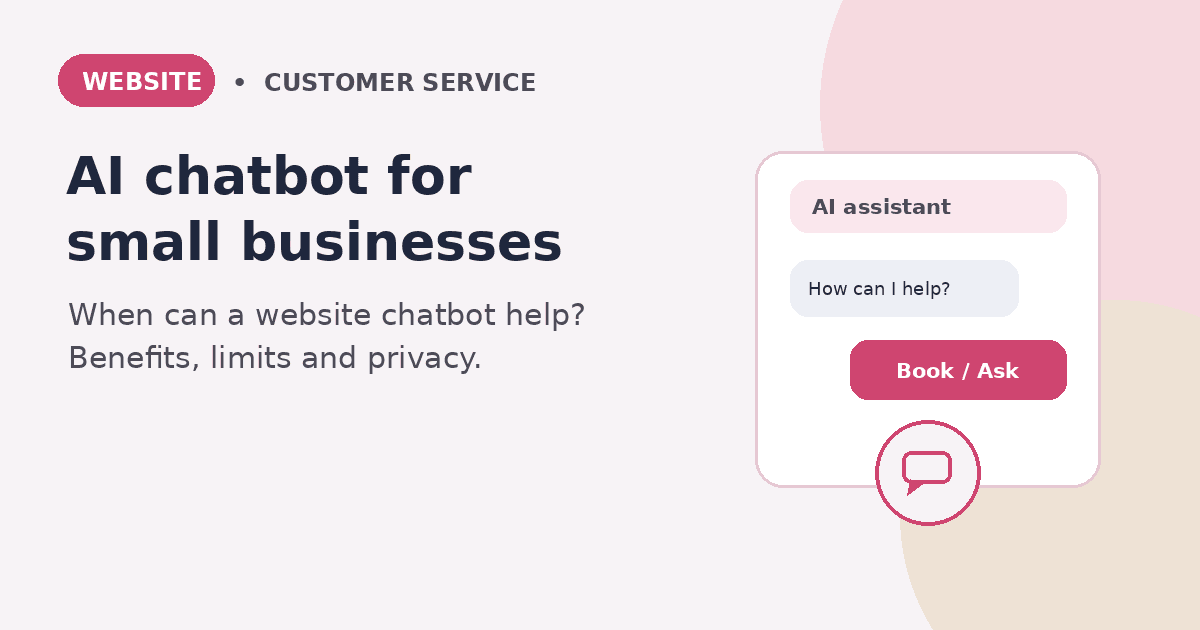
AI Chatbot for a Small Business Website: When Is It Worth It?
Explore when an AI chatbot can help a small business website, what it should—and should not—do, and how to plan privacy-conscious implementation.
by Nguyen VoPublished on 4 min read
Note: General information, not legal advice and not a recommendation of any specific provider. The obligations that apply depend on use, data and roles.
Key takeaways
- A chatbot pays off for recurring, low-risk questions. For a few stable questions, a good FAQ page is often enough.
- The bot needs verified answers, clear limits and a visible way to reach a human.
- Privacy and transparency belong in from the start: which data flows, who processes it, for how long?
Contents
A website chatbot promises quick answers even when a business is closed. For a small local business, that can be useful: visitors may learn what the business offers, how to request an appointment, or how to get in touch. But adding a chatbot does not automatically improve customer service. It is worth considering only when it solves a specific problem reliably.
What can a chatbot help with?
The best starting point is repetitive, low-risk questions, such as:
- What services does the business offer?
- Where is it located, and what are its opening hours?
- How does appointment booking work?
- What details should a customer include in an enquiry?
- Where can visitors find the relevant service or contact page?
A well-configured bot answers from approved business information and guides people to the right page. It should not guess about prices, availability, medical matters, or individual contractual terms. When it does not know, it should say so and offer a human contact route.
Set clear boundaries
AI chatbots can produce incorrect or outdated answers and misunderstand what a visitor means. Use extra care with complaints, personalised quotes, health or financial questions, and binding bookings.
Set four safeguards:
- Approved knowledge: Use current, reviewed information about services, opening hours, and booking instructions.
- Uncertainty handling: The bot should admit when it cannot answer confidently.
- Human handoff: Make it easy to contact a person by phone, email, or an enquiry form.
- No unsupported promises: Do not let the bot claim a booking or price is confirmed unless the connected system actually confirms it.
Would a simple FAQ be better?
Not every small business needs AI. A clear FAQ page may be cheaper, easier to maintain, and more predictable when questions are few and stable. A chatbot may be more useful when visitors ask varied questions, need guided navigation, or seek basic information outside business hours.
Before choosing a product, check whether it fits your website, booking tool, and staff workflow. A polished chat window is not helpful if its answers are stale or enquiries disappear into an unmonitored inbox.
Privacy and transparency need to be planned
When visitors enter names, contact details, or information about their request, personal data may be processed. GDPR principles include lawful and transparent processing, purpose limitation, data minimisation, and storage limitation. The precise obligations depend on the actual setup.
Before launch, establish:
- What information does the bot genuinely need?
- Are conversations stored? For what purpose and for how long?
- Which providers receive the information, and where is it processed?
- What settings, agreements, and privacy information are needed for this use?
- Is there an alternative way to contact the business?
Do not prompt visitors to disclose sensitive details unless they are genuinely necessary. Limit staff access to transcripts and define when they should be deleted.
Transparency also matters. Article 50 of the EU AI Act sets transparency obligations for certain AI systems that interact directly with people. The rules apply from 2 August 2026; assess the exact system and current official guidance before relying on a compliance conclusion. A plain-language label such as “You’re chatting with an AI assistant” is a useful practical step, but it is not a substitute for a complete legal assessment.
A practical five-step rollout
1. Collect real customer questions. Review calls, emails, and in-person enquiries to identify the ten most common questions.
2. Approve the answers. Keep them short and precise. Confirm that prices, opening hours, and booking rules are current.
3. Start with one narrow use case. For example, guide visitors to services and contact details before attempting complex advice or booking automation.
4. Test before publishing. Try common questions, typos, ambiguous wording, missing information, and the handoff to a human.
5. Review and maintain it. Check unanswered questions, incorrect responses, and outdated information regularly. A chatbot needs ongoing content maintenance.
Text building blocks to get started
With these building blocks you can test a bot without trusting it with too much:
- Greeting with AI notice: “Hello! I am the AI assistant of [name]. I answer questions about services, opening hours and directions.”
- State the limit: “I cannot give binding information on prices for individual requests or on appointments.”
- Hand over to a human: “We are best placed to clarify that in person. Write to us at [email] or call [phone].”
- Test list: ten real customer questions, ten typo variants, three questions the bot must not answer.
Review unanswered questions weekly and add only verified answers.
Conclusion
An AI chatbot can help a small business answer routine questions and guide visitors to useful information. It is not a guaranteed source of new customers or a “set and forget” feature. Start with a defined task, reviewed answers, an easy human handoff, and a privacy-conscious setup. If a simple FAQ already meets the need, it may be the better choice.
Frequently asked questions
Does every small business need an AI chatbot?
No. A well-organised FAQ or contact page may be enough for a small set of common questions.
Can a chatbot make confirmed appointments?
Only if it is integrated with a booking system that reliably checks availability and returns confirmation. A chatbot message alone is not proof of a booking.
Is an AI chatbot automatically GDPR-compliant?
No. Compliance depends on the purpose, data collected, provider, storage, access, user information, and legal basis.
Do visitors need to be told they are talking to AI?
Article 50 of the EU AI Act sets transparency requirements for certain AI systems that interact directly with people. Check whether the requirement applies to your setup and provide clear notice where required.
How can I tell whether it is useful?
Track whether visitors find answers, whether staff handle fewer repetitive questions, and whether the bot reliably directs people to contact or booking. Collect only appropriate and lawful measurements.